A5 flyers, double-sided, 50 pcs
No. Copies: 50; Print options: Same front and back; Material: 200 gsm Matte Coated Paper
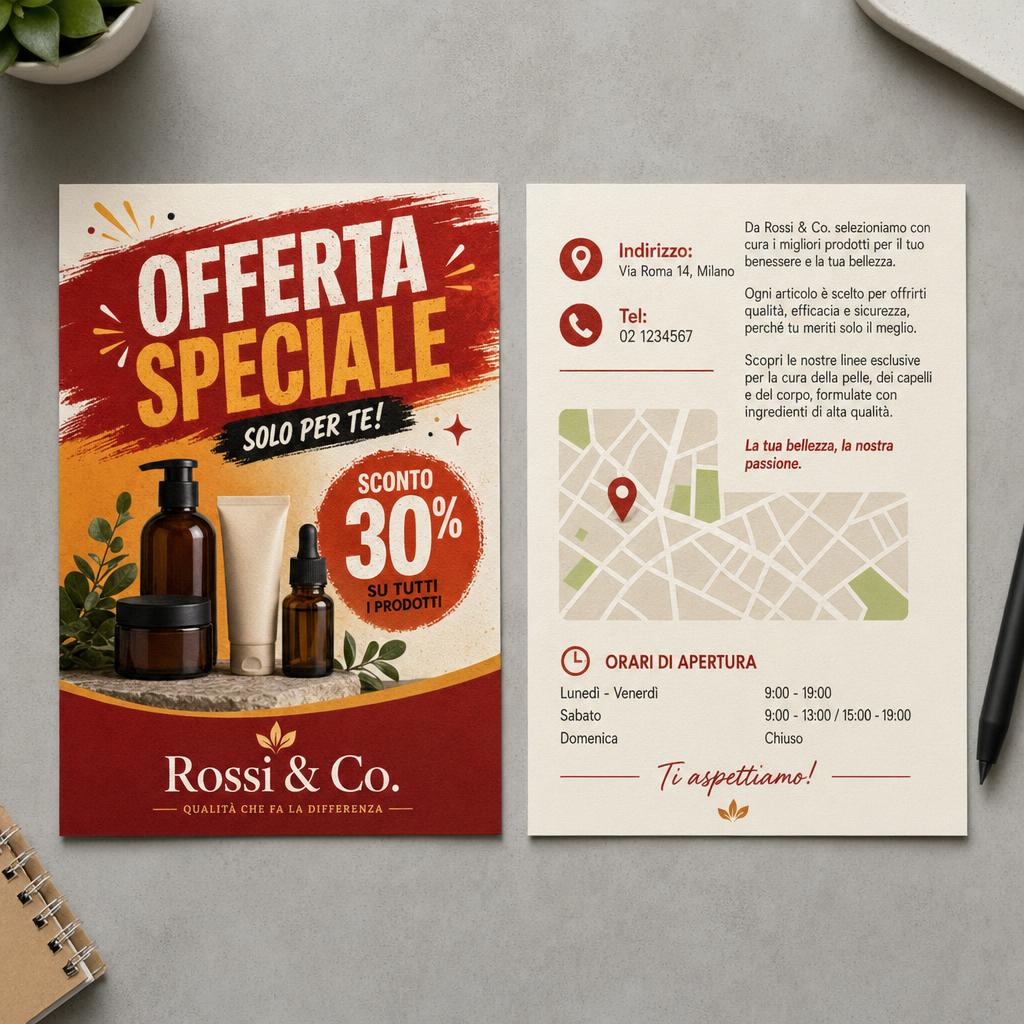
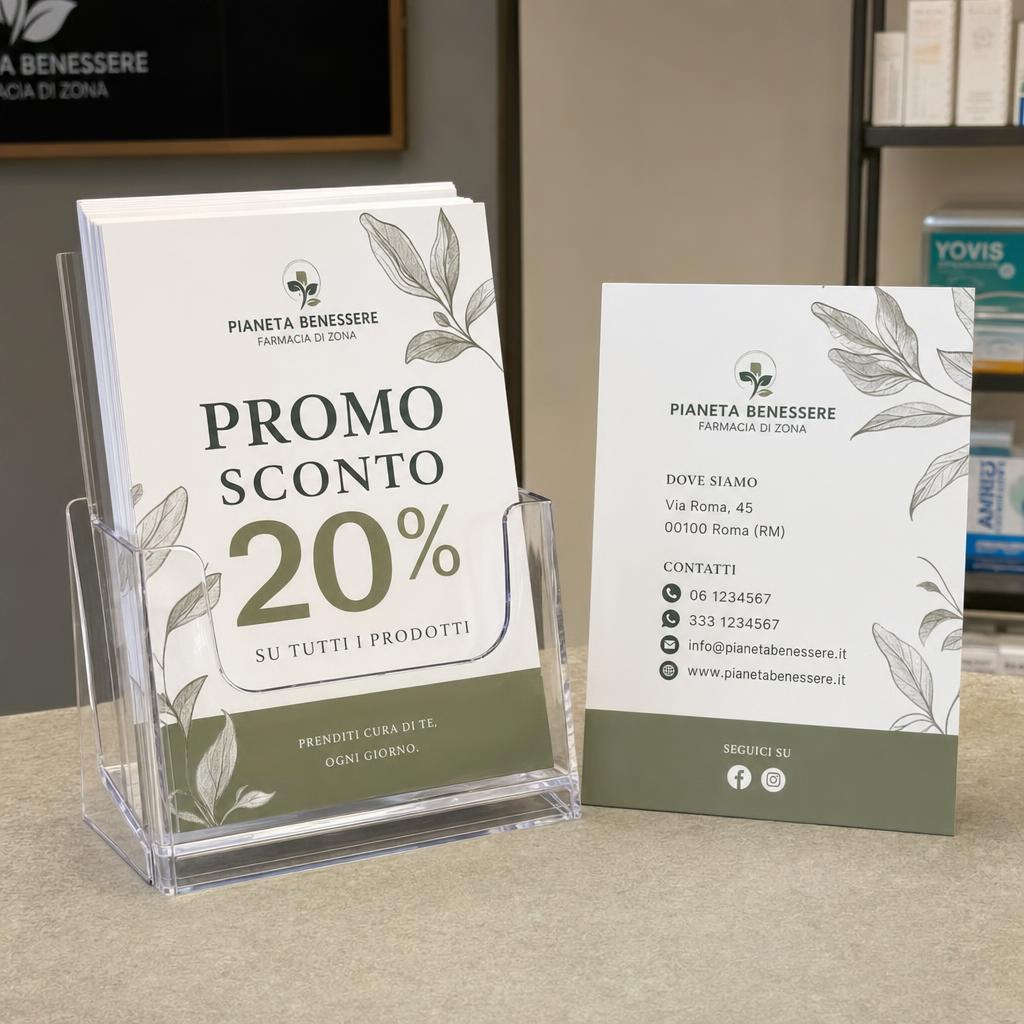
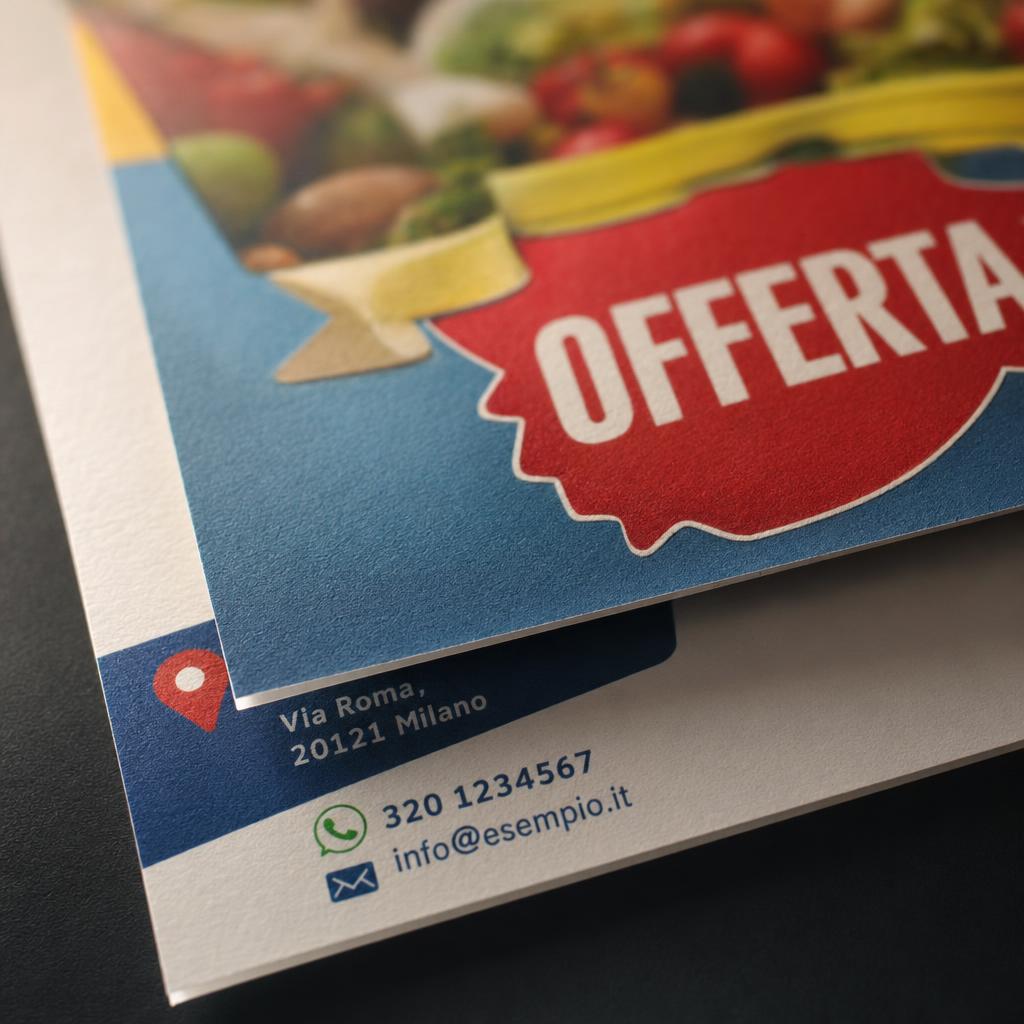
The double-sided A5 flyers are printed on both sides of the sheet. You can repeat the same artwork on both sides or upload two different ones, for example the offer on the front and a map, opening hours or price list on the back. They are printed on matte coated paper of 135 gsm or 200 gsm. The selectable quantities start at 50 copies and go up to 25,000, including 100, 250, 500, 1,000, 2,500, 5,000 and 10,000. They are used for promotional campaigns, events, in-store communication and local distribution, when one side is not enough to hold the information.
Take a look at these too
Double-sided A5 flyers: more space in the same size
With double-sided printing, the A5 flyer doubles its usable surface without changing size. The front carries the main message, while the back holds the details: conditions, schedule, contact information, directions. It is used for retail promotions, events, local campaigns and counter materials.
The two-sided flyer is a simple tool for any business: the front catches attention, the back gives the customer the information needed to decide.
Print options and paper for A5 flyers
- Print options: "Same front and back", with the same artwork on both sides, or "Different front and back", with one design per side.
- Material: 135 gsm Matte Coated Paper or 200 gsm Matte Coated Paper. The 200 gsm is thicker and sturdier; the 135 gsm is lighter.
Size and quantity
The size is A5. You can order 50, 100, 250, 500, 1,000, 2,500, 5,000, 10,000 or 25,000 copies online. The price is calculated by the configurator based on print run, paper and print type.
How to order and prepare your file
Specify whether the two sides are the same or different: in the second case you need two separate files, one per side. Select the paper and number of copies and upload your artwork. Before sending your artwork, read the file instructions. The available production times are shown in the configurator; delivery also depends on the shipping method chosen.
When you need double-sided A5 flyers
A printed back is useful when your message has two levels: something that must hit home immediately and something the reader checks afterwards. If you put everything on one side, the headline loses space and the details become too small. With two sides, each one does its own job.
Some situations where the second side makes the difference:
- Offers with conditions: the discount or product on the front, offer duration, terms and points of sale on the back.
- Events with a schedule: title, date and venue on the front, times, guests and directions on the back.
- Takeaway and home delivery menus: the name of the restaurant and a featured dish on the front, the list of dishes and ordering numbers on the back.
- Courses, gyms and schools: the presentation of the activity on one side, the calendar and times on the other.
- Agencies and firms: a featured service or property on the front, description and contact details on the back.
- Associations and committees: the initiative on the front, information on how to take part or support the project on the back.
Same or different front and back: how to decide
The Print options field has two values, and your choice changes both the result and the files you need to prepare.
Same front and back
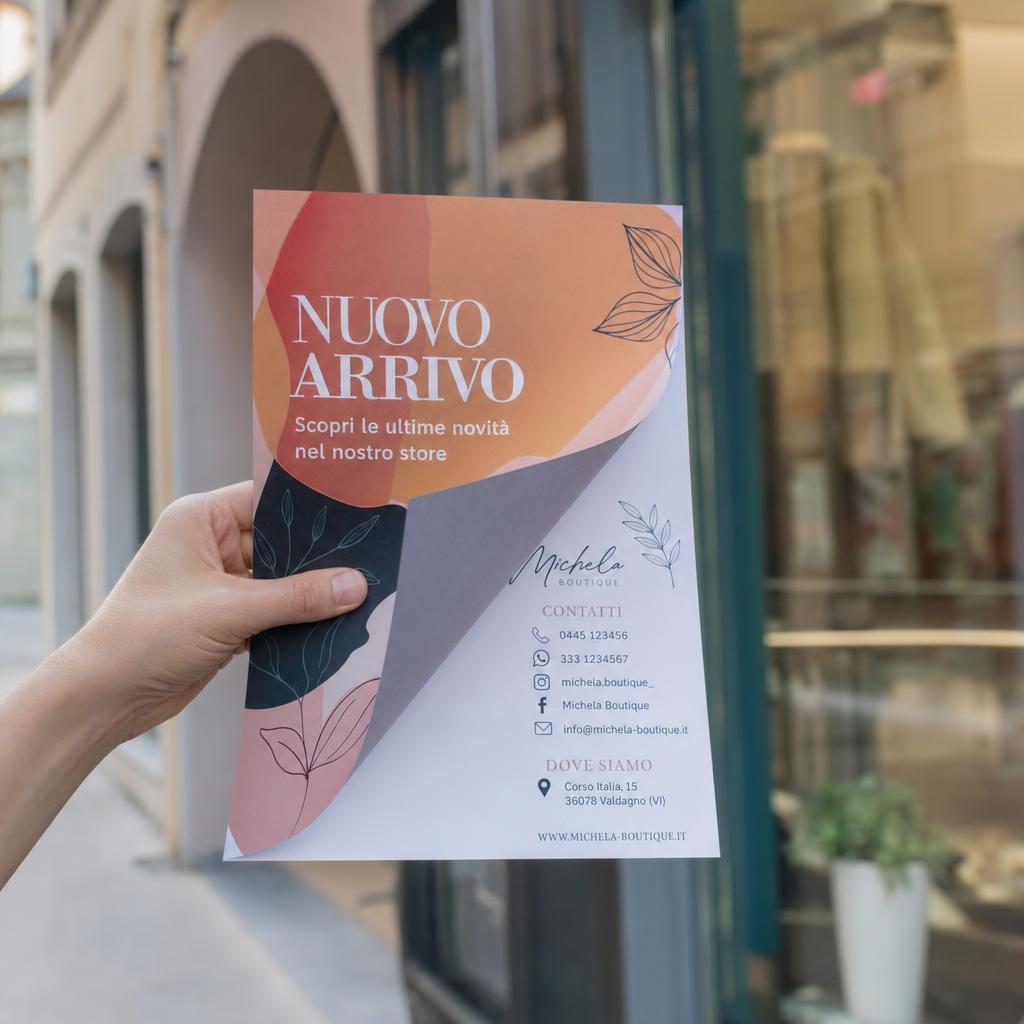
The same design is printed on both sides and only one file is needed. It is the practical choice when you do not know which side will be seen: a flyer left on a table, a counter or a display stand shows the same message whichever side is facing up. It also works for a sheet hung on a glass door or window, which is read both from inside and from outside.
Different front and back
Each side has a different design and you need two separate files, one for the front and one for the back. It is the choice for all the cases described above, when the back carries information that is not on the front.
A quick rule: if the back would repeat the front, choose "same"; if it adds content, choose "different".
How to split content between front and back
A good split starts with a question: what should someone looking at the flyer understand in two seconds? That answer goes on the front. The rest goes on the back.
- On the front: a short headline, an eye-catching image or color, the main offer or date, the logo.
- On the back: the details, the conditions, a list of products or services, the map, the opening hours, the full contact information.
- On both: the business name or logo, so the sheet stays recognizable from either side.
Leave space between blocks of text. A back filled right up to the edges is hard to read, and the person receiving the flyer gives up before reaching the contact details. If the text does not fit at a readable size, consider removing something or switching to a folded leaflet: in the Flyers and leaflets category you will also find 3-panel folded leaflet printing.
To lay out the back, a simple grid in three bands can help: at the top a short heading that picks up the front, in the middle the main information in a list or two columns, at the bottom the contact details and the logo. The layout is easy to read and forces you to choose what is really necessary.
The back can also be used to measure the campaign's results: a discount code or a word to mention in the store tells you how many people came thanks to the flyer. It is useful data for deciding the print run next time.
If you use a QR code to link to a website or a form, place it on the back near the contact details and test it with your phone on a test print at actual size.
Writing the copy for a two-sided flyer
A flyer is looked at for a few seconds before the reader decides whether to turn it over. The copy on the front must convince them to do so, the copy on the back must give them everything they need to act.
- Headline: a few words saying what you offer or what is happening. Avoid generic phrases anyone could use.
- Benefit: a line explaining why the reader should care, for example a discount, a new product or an extra service.
- Prompt to turn over: an arrow or a short phrase at the bottom of the front, such as "times and prices on the back", helps the reader find the rest.
- Call to action: on the back, state clearly what to do: call, book, visit the store, sign up.
- Deadline: if the offer has an end date, make it clearly visible, on the front or near the call to action.
Colors, images and legibility
The A5 size fits in one hand, so space is limited and every element competes with the others. Choose a single main image for the front and give it room. Use your brand colors, with good contrast between text and background: light text on a photo full of detail is hard to read.
On the back, prefer a light, uniform background for the text areas, with headings separating the blocks. Short lists are easier to read than long paragraphs. If you include a map, simplify it: the main streets and one recognizable landmark are enough.
For photographs, check how they look at the actual size of the sheet. For the required resolution, read the file instructions.
Where to distribute A5 flyers
The distribution channel affects both the print option and the paper.
- Store counter, reception, display stands: the flyer stays in view for days, perhaps next to one of the A3 posters in the window. With "Same front and back" the message is always visible; with different sides, put the business name on the back too.
- Hand delivery: on the street, at an event or at a stand. The reader turns the sheet over right away, so a back with details works well. At a stand you can echo the same artwork with a custom X-banner.
- Mailboxes: large quantities and quick reading. The 135 gsm is the weight designed for this type of distribution.
- Together with orders and deliveries: a flyer in the bag or box brings the customer back to reorder. Here the back is useful for menus, price lists or promo codes.
135 gsm or 200 gsm paper for A5 flyers
Both papers are matte coated. What changes is the weight, and so the feel in the hand and the way you will use the flyer.
- 135 gsm Matte Coated Paper: light and economical weight, designed for flyer drops and high-volume promotional distribution. The sheet is flexible and easy to handle, suited to flyers and informational material used once.
- 200 gsm Matte Coated Paper: standard weight, with a balance between sturdiness to the touch and affordability. It suits most promotional printed items, when the flyer is handed over in person or kept for a few days.
Think about where the sheet will end up. A flyer handed out on the street or put in mailboxes is read and often thrown away: 135 gsm is enough. A takeaway menu kept on the fridge, or an event program that the attendee keeps until the date, passes through the hands several times: 200 gsm gives a sturdier sheet.
How many A5 flyers to order
There are nine quantity tiers: 50, 100, 250, 500, 1,000, 2,500, 5,000, 10,000 and 25,000 copies. To estimate the quantity, start from the distribution channel.
- Hand delivery in store or at a stand: count the expected customers or visitors in the period and add a reserve.
- Door-to-door distribution: count the homes or mailboxes in the area you want to cover.
- Event: start from the expected number of attendees and consider the copies to leave at promotion points in the weeks before.
- Testing a new message: a low print run, 50 or 100 copies, lets you check the response before printing in large numbers.
- Multi-format campaign: if the same promotion also appears on posters, consider the flyer quantities together with those of custom poster printing.
Information with an expiry date, such as dates, prices and promotions, makes leftover copies useless. In that case choose the tier closest to your real need.
Preparing files for double-sided printing
With "Same front and back" you upload one file; with "Different front and back" you upload two, one per side. Give the files a clear name, for example "front" and "back", so there is no risk of mixing them up.
- Set both sides to A5 size and with the same orientation, portrait or landscape.
- If the background, a photo or a band of color reaches the edge, add the outer bleed required for flyers, in the amount given in the file instructions.
- Keep text, logos and frames at least 2-3 mm inside the finished size, because trimming can remove 1-2 mm.
- For resolution, colors and accepted file formats, read the file instructions.
A simple test: print the two sides on an ordinary sheet, front and back, and check that the back is not upside down relative to the front when you turn the sheet over.
Common mistakes on two-sided flyers
- Contact details only on the back, and too small: if the flyer is hung up or left with the front showing, whoever looks at it does not know how to reach you. Repeat at least the name or website on the front.
- Front too crowded: if the front already contains all the details, the back becomes useless. Move the secondary information to the back.
- Swapped sides: files without a clear name are easily confused during upload.
- Dates and prices not rechecked: reread the data on the final file, not just on the draft.
Final check before ordering
Before confirming, reread the flyer as a customer who does not know you would read it.
- From the front alone, is it clear who you are and what you are offering?
- Does the back have all the details to contact you: phone, address, website, opening hours?
- Are dates, prices and deadlines the same on front and back, and correct?
- Does the chosen print option match the files: one for the same sides, two for different sides?
- Does the summary show the paper and the number of copies you want?
How to order double-sided A5 flyers
- In the configurator, choose the print option: same or different sides.
- Select the paper, 135 gsm or 200 gsm.
- Choose the number of copies from the available tiers. The price updates with your choices.
- Check the summary and upload the file, or the two files if the sides are different.
You will find the available production times in the configurator. If you need the flyers for a specific date, such as an event or the start of a promotion, also take the chosen shipping method into account.
Frequently asked questions
Can the two sides be different?
Yes, with "Different front and back". If you prefer to print the same artwork twice, choose "Same front and back".
How many copies can I order?
From 50 to 25,000, according to the configurator tiers.
Which paper weights are available?
135 gsm and 200 gsm, both matte coated paper. A glossy paper is not available.
With different sides, do I need to upload two files?
Yes. "Different front and back" requires two separate files, one per side. With "Same front and back" a single file is enough.
Which paper should I choose for a takeaway menu?
The 200 gsm, because it feels sturdier in the hand and the menu is kept and consulted several times. The 135 gsm is designed for high-volume distribution.
Can I put a QR code on the back?
Yes, it is part of your artwork. Test it with your phone on a test print at actual size before uploading the file.
For flyer distribution, is double-sided or front only better?
It depends on the message. If one side is enough, front only is sufficient. If you need to add conditions, opening hours or a map, the back avoids crowding the front.
I already have the artwork for a single-sided flyer: can I reuse it?
Yes. Use it as the front and prepare a second file for the back with the details, choosing "Different front and back". If you want the same design on both sides, choose "Same front and back" and upload a single file.
Is the flyer portrait or landscape?
The configurator has no orientation field: you set up the file in portrait or landscape, with the same orientation on both sides.
Can I order a quantity that is not on the list?
Quantities come in fixed tiers, from 50 to 25,000 copies. Choose the one closest to your need.
Can the artwork go all the way to the edge of the sheet?
Yes, with the outer bleed given in the file instructions. Text and logos must be kept at least 2-3 mm inside the finished size.
Related products
For a short message on a single side there are the A5 Flyers (front only). You will find the other sizes in the Flyers category.
If you do not need the back, because the message fits on one side or the flyer will be hung up, choose the A5 Flyers (front only). The other sizes are on the A5 Flyers page. When two sides are not enough, 3-panel folded leaflet printing spreads the content across several panels. All promotional printed materials are in the Flyers and leaflets category.
To communicate the same campaign in a larger format, to hang in a window or on a notice board, there are the A3 posters and custom poster printing. For an event or a stand you can pair the flyers with a custom X-banner using the same artwork as the front.
Dall’idea al file pronto per la stampa
Con il servizio di progettazione grafica puoi creare una nuova composizione, vettorializzare un logo o adattare immagini e impaginazione al prodotto scelto. Condividi materiali e indicazioni in chat e rivedi le anteprime prima della preparazione dei file finali.
Scopri il servizio di progettazione grafica
Il servizio grafico è incluso nel prezzo di stampa?
La progettazione grafica è un servizio a pagamento, acquistabile separatamente. Il controllo del file di stampa rimane compreso nel prezzo del prodotto; per creare o modificare la grafica puoi acquistare il servizio dedicato.
Total: 38,87 € (VAT included)