Tri-fold leaflets 63x29.7 cm, 20 pcs
No. Copies: 20; Material: 200 gsm Matte Coated Paper; Lamination: None; Open Size Dimensions (CM): 63x29.7
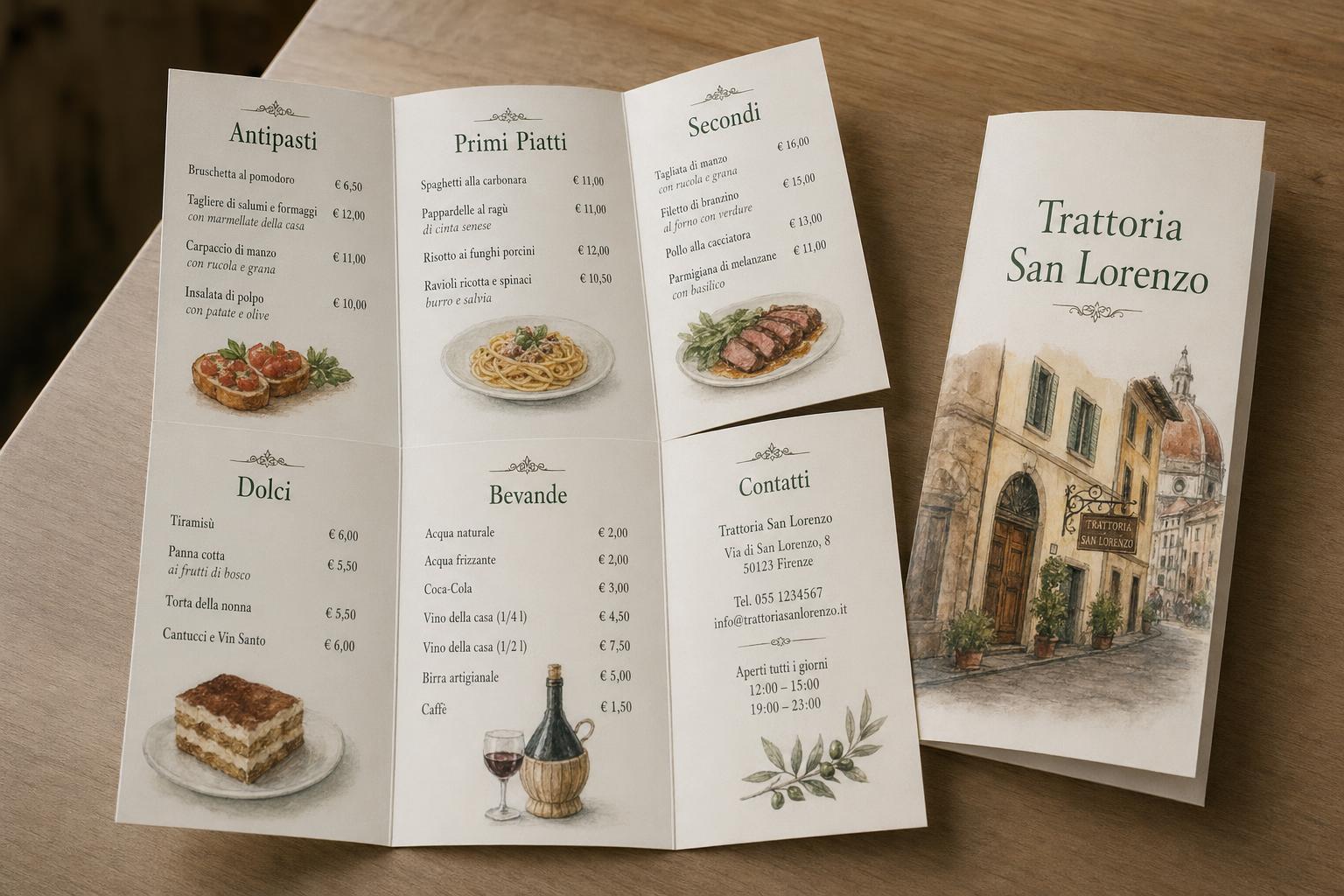
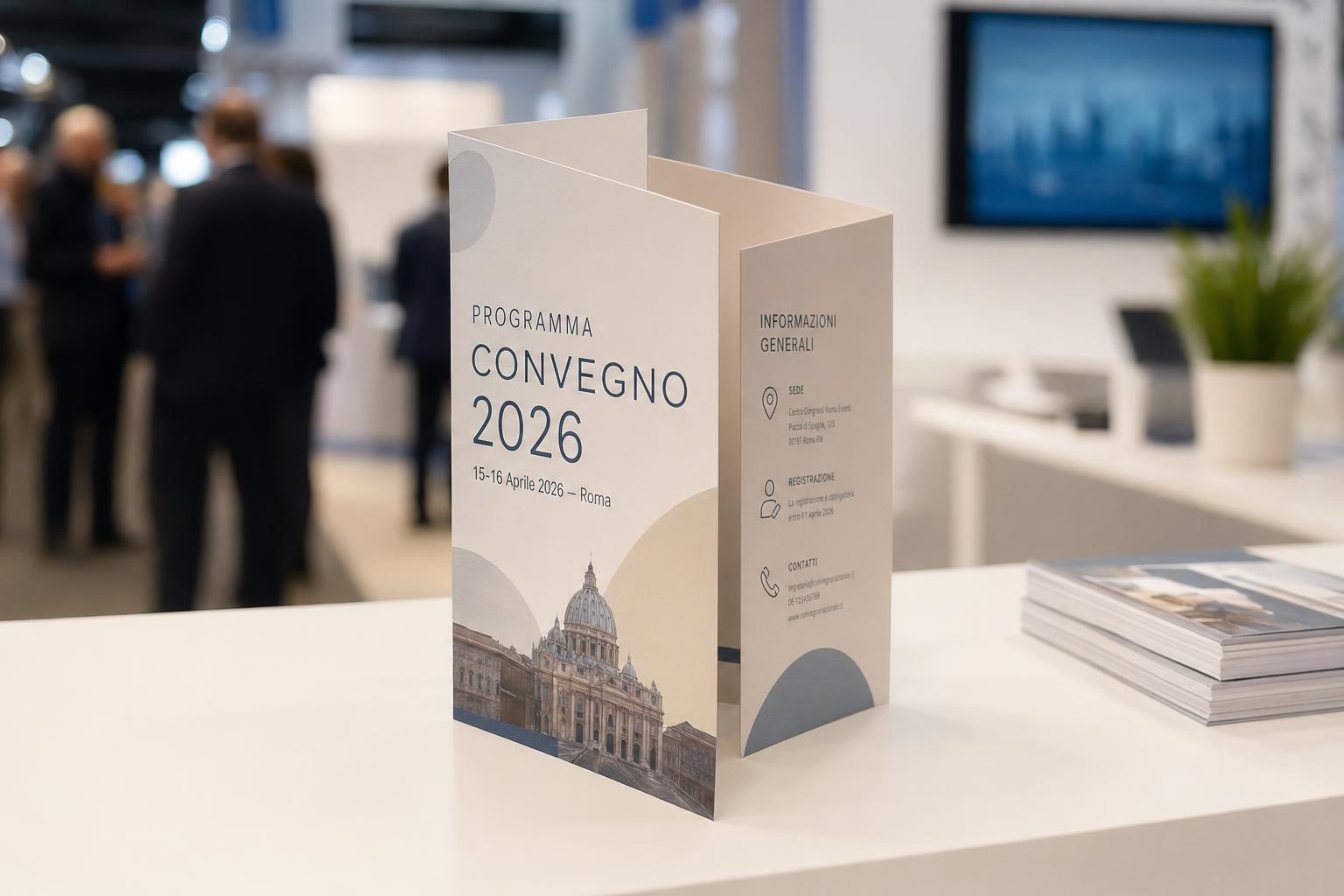
Custom tri-fold leaflets are flyers with two folds, which divide the sheet into three panels and let you organise the content by section. You enter the open size, up to 63x30 cm, and choose the matt coated paper from 200, 250, 300 and 350 gsm. Lamination is optional and applied to front and back: gloss, matt or soft-touch matt. Print runs start at 10 copies and go up to 50,000. It is a format suited to product flyers, company brochures, menus, event programmes and trade show material, when you need several panels to be read in sequence.
Take a look at these too
Custom tri-fold leaflets for brochures and flyers
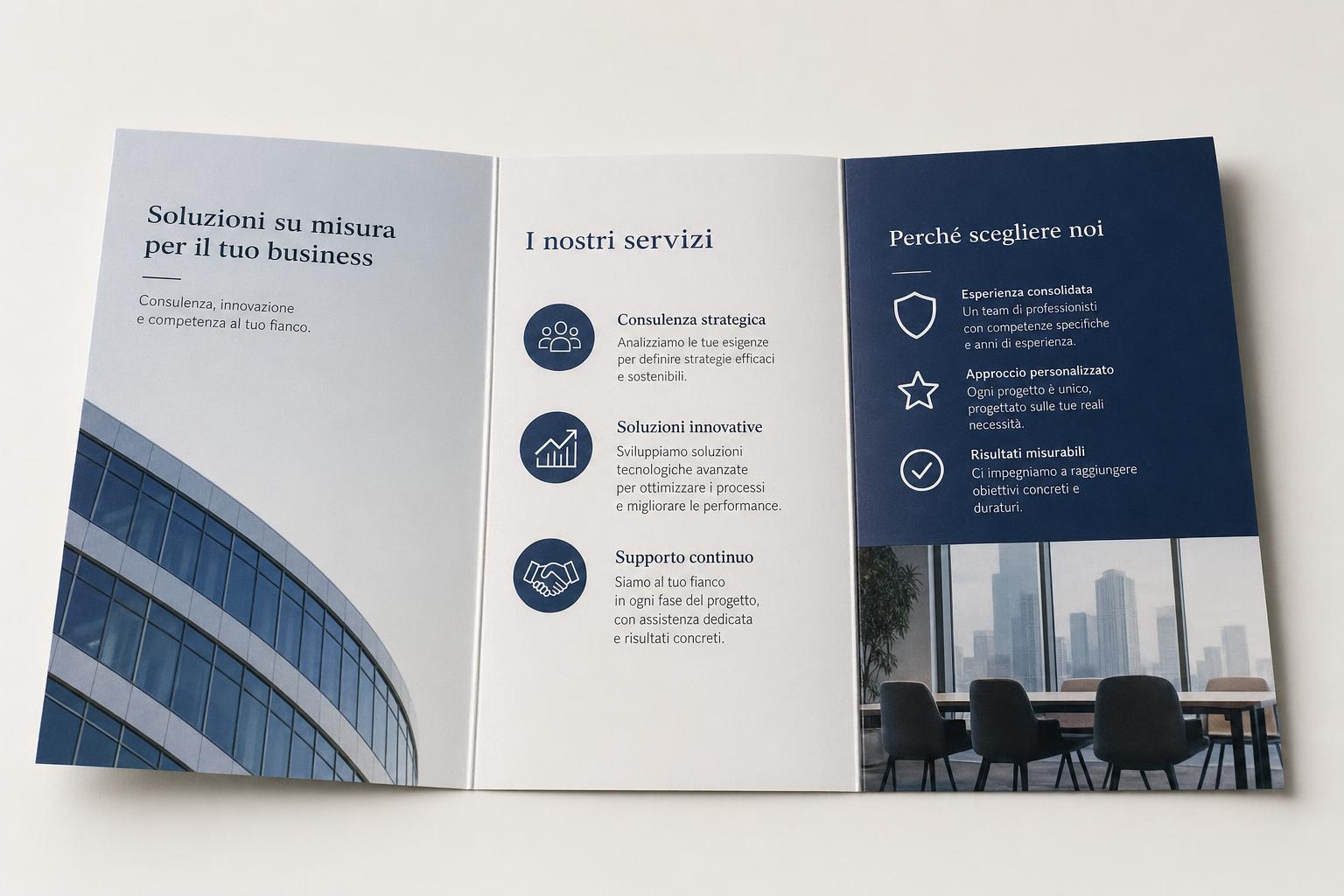
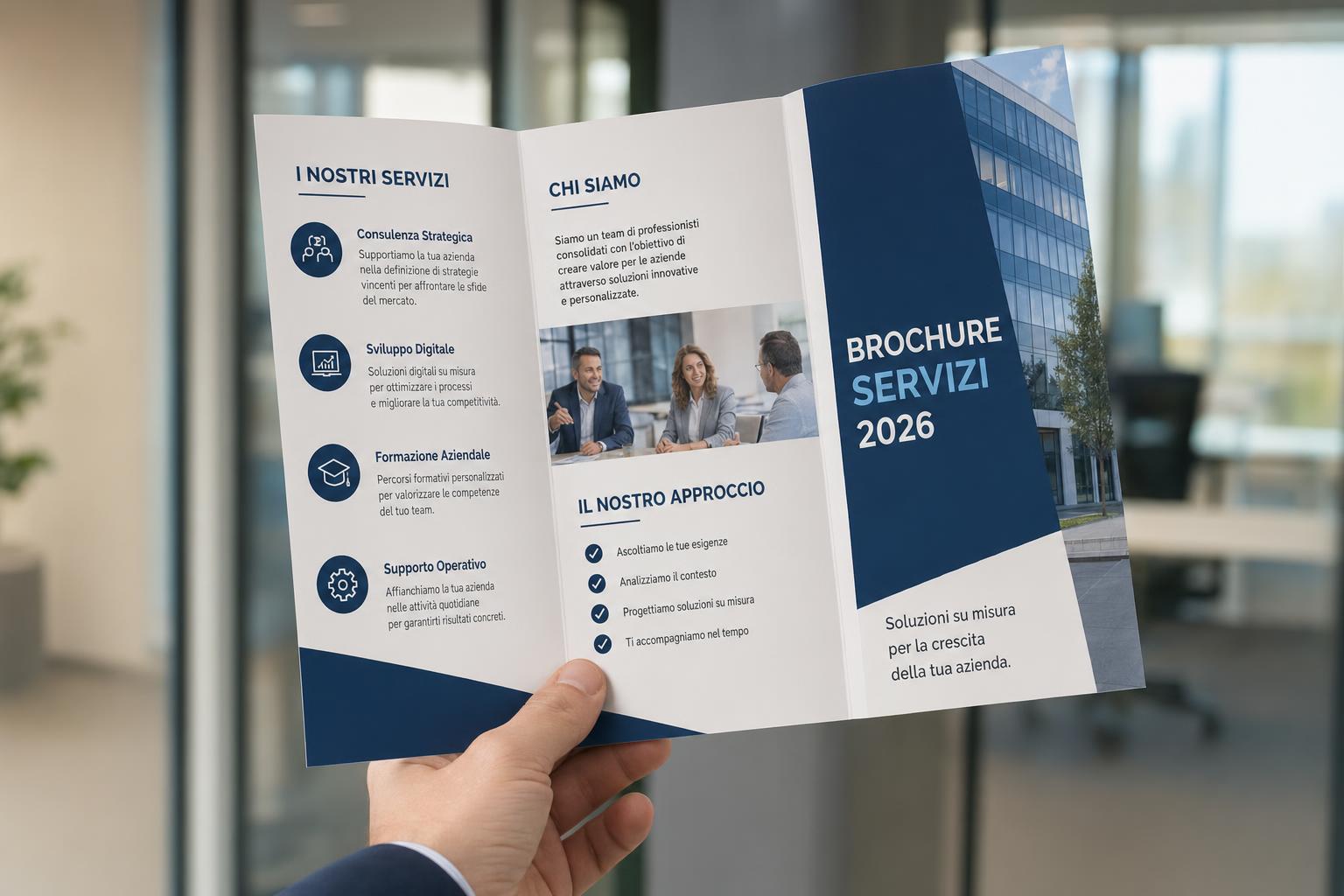
Three panels give you more room to spread out the content: a cover, a sequence of services or products, and a space for contact details and a map. The tri-fold leaflet is the classic flyer for display stands, reception desks and trade show booths. It is chosen by businesses, accommodation providers, restaurants and event organisers.
Paper and lamination
There are two options, and they can be combined freely.
- Material: Matt Coated Paper in four weights, 200 gsm, 250 gsm, 300 gsm and 350 gsm. The heavier the paper, the thicker and stiffer the leaflet.
- Lamination: None, Gloss Front/Back, Matt Front/Back, Soft-Touch Matt Front/Back.
How to choose paper and lamination
The configurator describes the four papers differently. 200 gsm is the standard weight, suitable for most printed items. 250 gsm is mid-range: sturdier, but still very flexible at the fold, and recommended for menus, service flyers and company brochures. 300 gsm is thick, with a stiff sheet, for presentation brochures, short catalogues and trade show material. 350 gsm is the heaviest available.
Without lamination you keep the surface of the coated paper; durability also depends on how the leaflet is used and stored. With film on both front and back the print is protected: gloss makes colours brilliant, matt gives a sober look, and soft-touch adds a velvety feel.
Open size and quantity
The size is defined on the open sheet and in centimetres: it is custom, with a maximum of 63x30 cm. For quantities, choose between 10, 25, 50, 100, 250, 500, 1,000, 2,500, 5,000, 10,000, 25,000 and 50,000 copies. The configurator calculates the price based on your choices.
What a tri-fold leaflet is used for
- Company brochures: communicating services and products, one panel per topic.
- Menus and price lists: courses or items divided by column.
- Event programmes: times and talks in sequence.
- Trade show material: a printed piece to hand directly to customers visiting the booth.
How to order and prepare the file
Start from the open size and check the layout of the panels and folds before you begin the page layout: the width of the panels may depend on the type of closure. Then choose paper, lamination and quantity, and upload the file. Before sending your artwork, read the file guidelines. The available production times are shown in the configurator; delivery also depends on the shipping method you choose.
Checking the file before printing
The open size is the measurement of the whole sheet, while the closed size is the footprint of the leaflet after folding. Do not enter the size of a single panel in the configurator field. If you have not yet decided on the closure, ask for confirmation of the panel layout before preparing the final file.
You can check the sequence with a paper mock-up: fold it and see which content shows when the leaflet is opened and which stays inside. Number the sides of the mock-up so you can tell the cover, back and inside pages apart during layout. Also check the orientation of the two faces: a file that looks correct on screen may end up upside down once folded.
In the area near each fold, avoid small text, logos and details that need to be read in full. A photograph can run across two panels, but the fold line remains visible. For margins, bleed and file dimensions, follow the print guidelines, without adding centimetres to the size you order. After choosing paper and finish, check contact details, prices and event dates again: this information can change between one reprint and the next.
Tri-fold leaflet printing: the six sides
With two folds the sheet is divided into three panels per side, so six sides in all: three outside and three inside. Compared with a flyer with a single fold, you have two more sides, and above all an inside that opens out into three panels side by side. It helps to assign a job to each side before opening your layout software.
- Cover: the side visible when the leaflet is closed, the one seen in the display stand or on the counter. A title, a logo and an image are enough.
- First inside panel: the one the reader sees as soon as the cover is lifted. It works well for a short introduction or for the most important point.
- Three-panel inside: when the sheet is fully open, the three inner panels are read together. This is the space for a sequence: three services, three stages, three days of a programme.
- Back: contact details, address, map, opening hours, social media references. This is the side the reader returns to when they need to act.
Which side appears first when the leaflet is opened depends on the layout of the folds. That is why the paper mock-up described below is the safest way to check the reading order.
When to choose a tri-fold leaflet
The three-panel format works when the content divides into blocks that are read in order. Some practical examples:
- Service presentation: one panel for each service, with a short description and a contact point for enquiries.
- Itineraries and visits: for accommodation providers, museums and associations, the stops on a route or the places to see in the area, with the map on the back.
- Menus and wine lists: starters, first courses and mains in three columns, or food, drinks and desserts.
- Multi-day programmes: one day per panel, with times and speakers.
- Courses and registration: schedule, course content and how to enrol in three separate panels.
If instead your message fits on a cover and a double spread, a leaflet with a single fold is simpler to lay out and to read.
Paper weight, folds and how the leaflet is used
A tri-fold leaflet is opened and closed many times, and it has two folds. To choose the paper, start from how it will be used.
- Distribution in large quantities: 200 gsm is the standard weight, suitable for flyers left in display stands or handed out at trade shows.
- Menus and service flyers: 250 gsm gives more substance than 200 gsm and stays flexible when folded.
- Presentation brochures: 300 gsm has a stiff sheet, with a result similar to a traditional brochure.
- Short catalogues and event material: 350 gsm is the heaviest available and gives the most substantial feel in the hand.
Print runs: from test to distribution
The quantity steps start at 10 copies. Low quantities suit a layout test, a meeting with a few clients or a small event. Intermediate runs, from 250 to 2,500 copies, can cover the reception of a venue, a shop counter or a single trade show. High quantities, up to 50,000 copies, suit campaigns across a wide area or distribution repeated over time.
Before choosing a high quantity, check that the content will not change soon: printed prices, dates and times stay fixed until the next reprint.
Laying out three panels without mistakes
Tri-fold leaflet printing requires a little more care than a flat sheet. These checks avoid the most common mistakes:
- set up the document at the open sheet size you enter in the configurator, with the fold lines marked as guides;
- prepare the two faces of the sheet, outside and inside, as two separate pages of the file;
- keep text, logos and phone numbers at least 2-3 mm inside the finished size and away from the folds, because trimming can remove 1-2 mm;
- if a background or photo reaches the edge of the sheet, follow the file guidelines for the outer bleed;
- ask for confirmation of the panel layout if you do not yet know the type of closure.
How to order online
Leaflet printing starts from the configurator: enter the width and height of the open sheet, within 63x30 cm. Then choose the weight from 200, 250, 300 and 350 gsm, the lamination or "None", and the number of copies. The price updates with your choices. After the summary, you upload the file with the two faces of the leaflet. Check size, paper, finish and quantity in the summary before confirming.
Frequently asked questions
How large can the open leaflet be?
Up to 63x30 cm. Smaller sizes are allowed, because the format is free.
What are the minimum and the highest quantities?
From 10 to 50,000 copies, according to the steps listed.
Can I laminate only one side?
The laminations offered by the configurator are all front/back. The alternative is no lamination.
What lamination finishes are available?
Gloss, matt and soft-touch matt.
Can I choose paper and lamination independently?
Yes. Every paper weight can be combined with every lamination, or with none.
Can I order online without fixed sizes?
Yes. Always enter the open sheet size in centimetres, within 63x30 cm, and choose the quantity.
How many sides does a tri-fold leaflet have?
Six: three panels on the outside and three on the inside, because the sheet has two folds.
Do the three panels have to be the same width?
Not always: the width of the panels may depend on the type of closure. Ask for confirmation of the layout before preparing the final file.
Which paper weight should I choose for a leaflet that is opened often?
250 gsm combines more substance than 200 gsm with good flexibility for folding. For a stiffer sheet, consider 300 gsm.
Can I order a few copies for a test?
Yes, the minimum quantity is 10 copies.
Related products
For a simpler flyer with a single fold, there are the Half-fold leaflets. Also see the Flyers and leaflets category.
If your content fits on a cover and a double spread, choose half-fold leaflets, with a single fold and four sides. For a short message on a single flat sheet there are the A5 Flyers (front and back); all flyer sizes are on the A5 Flyers page.
At trade shows the leaflet works together with other printed items. To get noticed from a distance at your booth you can add an 85x200 cm roll-up banner stand, an economy double-sided roll-up banner stand or a luxury double-sided roll-up banner stand, printed on both sides. Along with the flyer you can hand out Business cards (front and back) with your contact details.
More printed items are in the Digital printing, business cards, flyers, brochures category.
Dall’idea al file pronto per la stampa
Con il servizio di progettazione grafica puoi creare una nuova composizione, vettorializzare un logo o adattare immagini e impaginazione al prodotto scelto. Condividi materiali e indicazioni in chat e rivedi le anteprime prima della preparazione dei file finali.
Scopri il servizio di progettazione grafica
Il servizio grafico è incluso nel prezzo di stampa?
La progettazione grafica è un servizio a pagamento, acquistabile separatamente. Il controllo del file di stampa rimane compreso nel prezzo del prodotto; per creare o modificare la grafica puoi acquistare il servizio dedicato.
Total: 31,74 € (VAT included)